Keep plans out of your texts.Everyone knows. Nobody has to ask.
The shared calendar for families, roommates, and friend groups. Plans, tasks, and your calendar in one place, with an assistant who turns a sentence into a schedule you approve.
Three steps. Zero group chat chaos.
Everything you need to go from idea to showing up, all in one place.
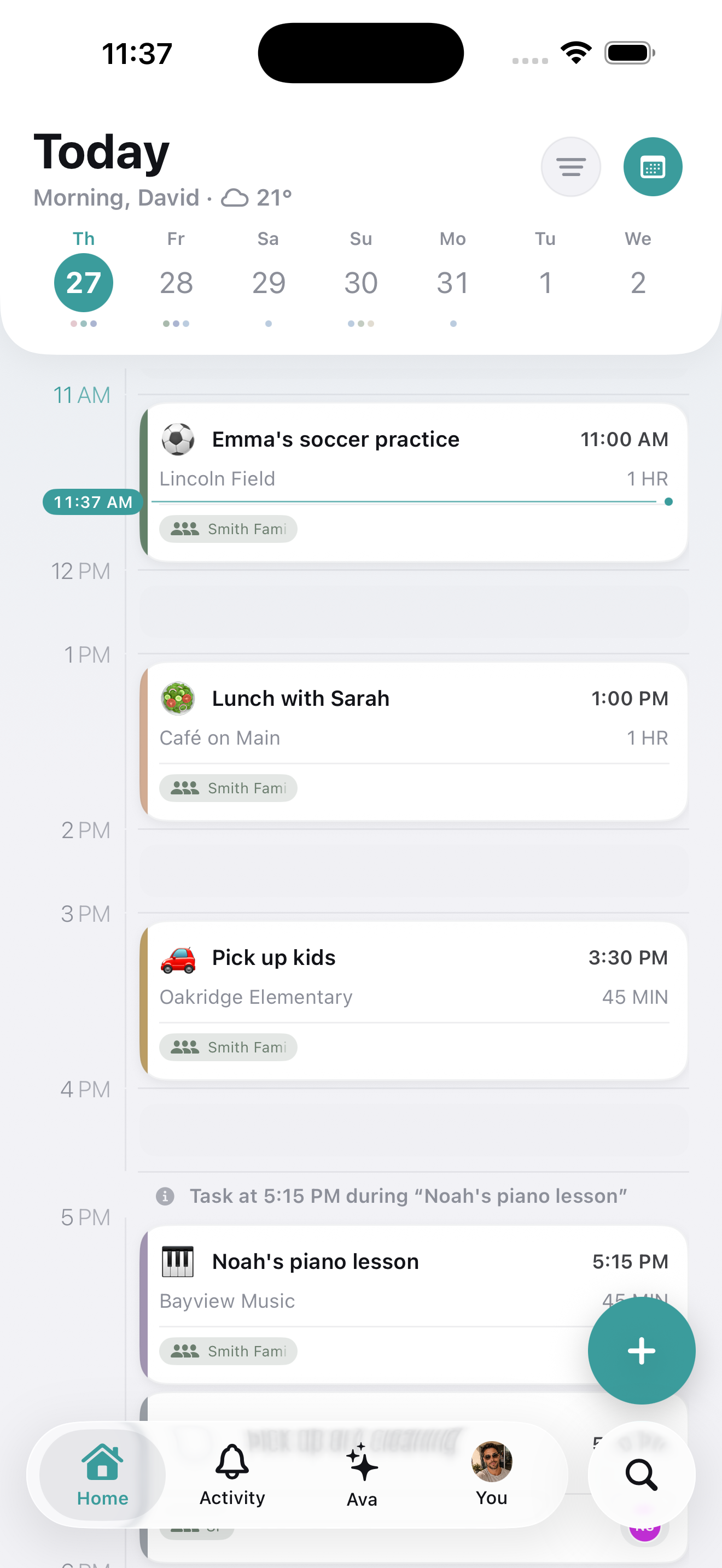
Make a plan
Type it naturally. PlanThat figures out the time, place, and details for you.
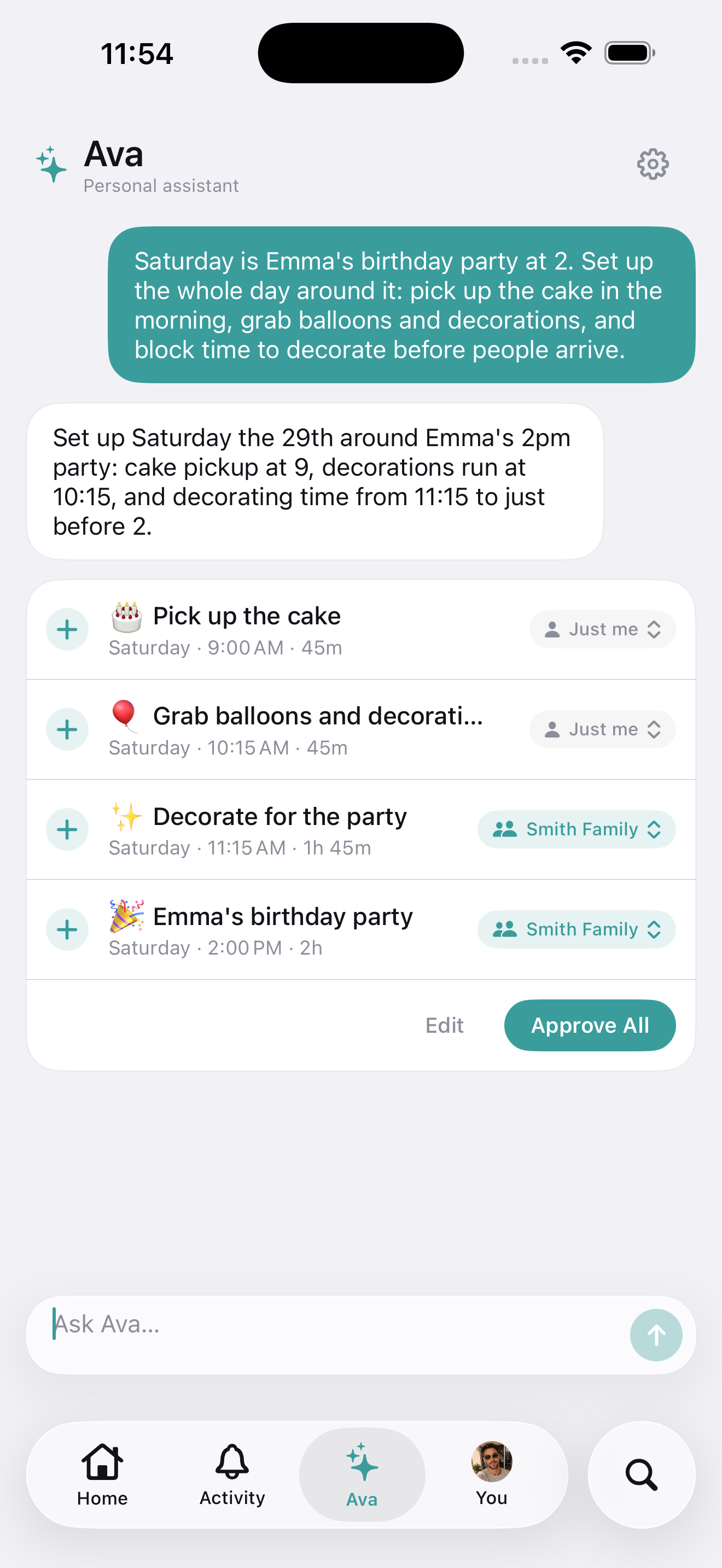
Let Ava fill in the rest
Tell her what your day holds. She finds the gaps and proposes a schedule you approve.
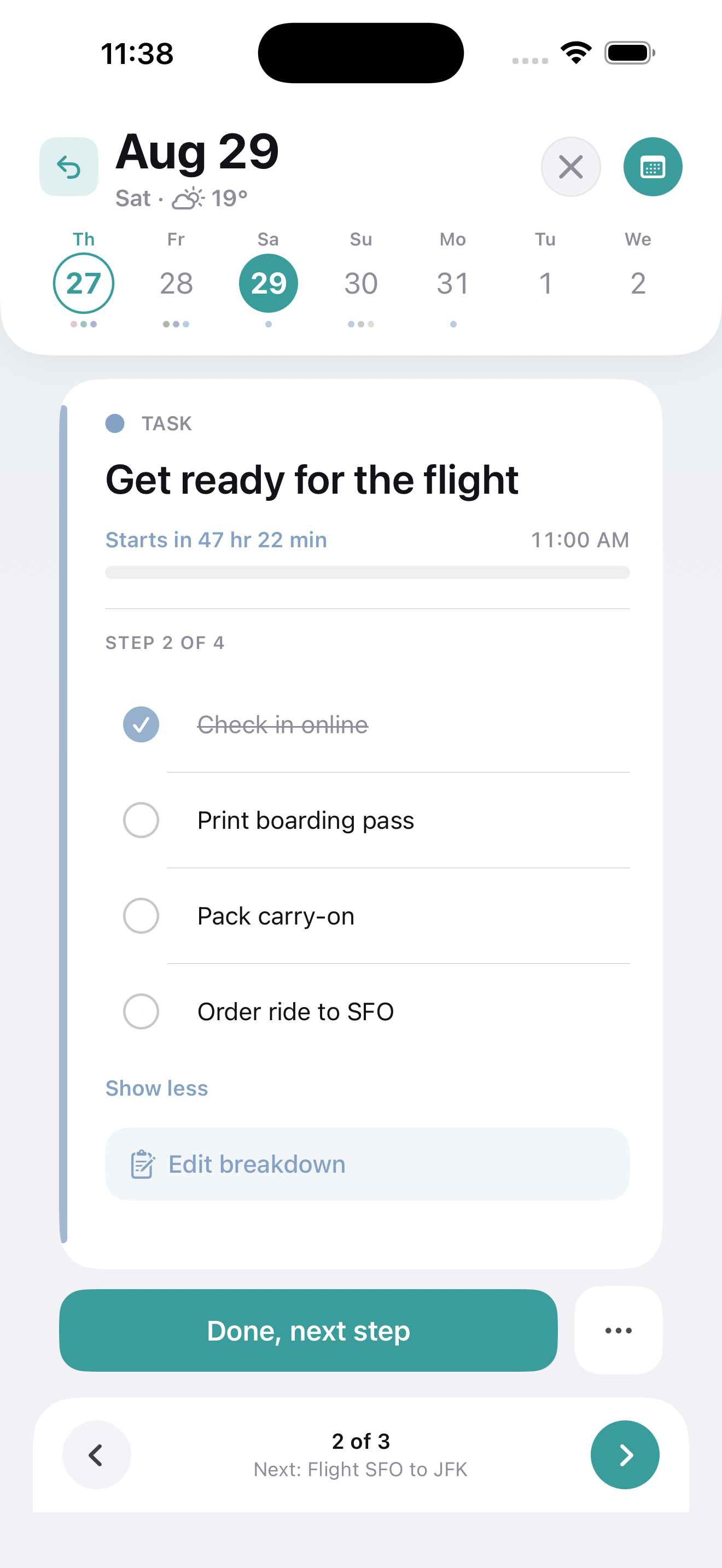
Show up ready
Weather, drive time, and a reminder at the right moment. No surprises.
Say it once.
Get a day that works.
Tell Ava what has to happen and she builds the schedule around what you already committed to. Every plan waits for your approval before it reaches your timeline.
Only when you want her
Ava sits behind a button. Plan by hand every day and you will never hear from her.
She proposes, you approve
Every row waits for your yes. Nothing reaches your timeline until you say so.
She reads your week
She spaces new plans around what you already committed to instead of double booking you.
Plans and tasks.
One place.
A real task manager lives alongside your plans, with your Apple Calendar and Google Calendar events on the same timeline. Chores repeat on schedule, anyone in your group can own them, and unfinished ones roll forward instead of quietly disappearing.
Recurring tasks
Daily, weekly, or monthly. Set it once and it shows up on schedule.
Assign to anyone
Hand a task to anyone in your group and see exactly who owns what.
Task rollover
Yesterday's unfinished tasks resurface so you can move them forward, finish, or set them aside. Nothing slips quietly.
Apple & Google Calendar
Your Apple Calendar and Google Calendar events appear right on the timeline, read-only. Convert any one into an editable PlanThat plan whenever you want.
The app has opinions.
Good ones.
PlanThat reads what you are creating and surfaces the right details before you think to ask. Less filling in blanks, more actually showing up.
The planner is free.
Sharing is the upgrade.
Timeline, tasks, and smart planning cost nothing, forever. PlanThat+ adds the shared layer you just read about, plus a few niceties.
Ava, your planning assistant
Chat your to-dos and she turns them into a schedule you approve. In the app.
The whole sharing layer
Shared groups, assigned plans and tasks, and a live activity feed.
Live weather & drive-time
Context baked right into your plan so you always know what to expect.
Priority support & early access
Get help faster and be first in line for new features as they ship.
Try it free for 3 days.
or $39.99 a year. Save 33%.
Upgrade from the iOS app when you're ready. Cancel anytime.

Got a question or idea?
Real people read this inbox. Drop us a note and we'll get back to you.
We'll respond as quickly as we reasonably can.